Pages

Showing posts sorted by relevance for query a+. Sort by date Show all posts

Tuesday, February 26, 2013

Review of A+ TutorSoft, Inc.

Photobucket

As part of the Schoolhouse Review Crew, my 3rd grade twins and I were given the opportunity to review A+ TutorSoft, Inc.'s A+ Interactive MATH 3rd Grade Premium CD software.  This software constitutes a complete 3rd grade math curriculum and it is simply loaded with features.  Best of all, both of my very different twins like it, and for completely different reasons.

A+ TutorSoft, Inc.: The Product

Photobucket

Unlike many traditional math programs, A+ TutorSoft, Inc. gives children a completely multi-sensory experience.  Lessons are presented visually with just enough graphics to teach the concept (i.e., single color pie charts) without creating an unnecessary distraction.  Text accompanies the graphics and the text is narrated by a very pleasant female narrator.  In the past, narrators with accents have sometimes thrown my children when we are experiencing a new product.  Accent is not a problem with this narrator.  Her voice is perfect for presenting a math lesson - lively without being irritating.

The lessons themselves are very short! For example, the entire chapter on fractions (covering equivalent fractions, comparing fractions, and adding and subtracting fractions) took one of my twins only two days to complete.  The lessons (as enumerated above) took him about 7-10 minutes each, including watching the lesson, answering the interactive questions and answers and completing the printable worksheet.  Although Michael has never done fractions before, he understood the lessons as presented the first time, and was able to progress through this chapter quickly.  More on how my twins used this program below, but first, here is a summary of exactly what A+ TutorSoft Inc.'s A+ Interactive MATH Premium CD software includes:

  • Multi-Sensory Interactive Lessons
  • A curriculum book with the lessons in eBook format (in other words, the textbook version of the lessons)
  • Printable worksheets and tests
  • Printable worksheet and exam solutions guides which allow you not only to print the answers to the worksheets you give your child, but the detail with which the answers are explained actually allows your child to be able to piece through the answer himself, especially as the solutions are presented in a way that mimics the way the concept was originally taught
  • Formula reference sheets
  • Recommended lesson plans
  • Parental controls to lock the solutions guides
  • The ability to track student progress
  • Weekly certificates of accomplishment
The last three items are included on the Premium CD I received; otherwise the regular CD and the Premium CD are identical.

When you install the software on your computer and run it, you are able to see the chapter headings on the left hand side of your screen, so you know immediately where you need start up, whether that is continuing from where you left off, or re-watching a previous lesson.  At any time you can choose to watch a tutorial for how to use the software.

Michael, Mary-Catherine, and A+ TutorSoft, Inc.

Like a lot of homeschoolers, my 8 year-old twins aren't easily placed in a grade.  Fortunately, in math they both seem to be solidly in 3rd grade.  Thanks to the easy navigability of A+ Interactive MATH 3rd Grade Premium CD software, I was almost immediately able to see where I should start them in their new math program (decimals).  They transitioned to the new program seamlessly and (spoiler alert!) we plan to continue with it through and past 3rd grade.

When I have more than one child using a computer-based learning program, I usually hook my laptop up to the TV in order to avoid jockeying for position in front of a small screen.  In this way, I am also able to turn the sound up nice and loud (no "I didn't hear! He was talking! The guinea pig squeaked!").  Here, Michael and Mary-Catherine learn about fractions.


It is a true delight not only to have someone else teach my twins math (math is not my friend), but for it to be on the TV (via the laptop) and immediately replayable (key for Mary-Catherine who tends to have math meltdowns).

Michael loves doing math this way.  He is perfectly content to sit down, watch the lesson through, do the interactive Q&A and the worksheet and call it a math day.  Often, because he picks up concepts quickly and because the lessons here are concise and well explained, Michael will do multiple lessons in one day.  For example, two days ago, he did adding and subtracting fractions lessons on the same day.  It is essentially the same concept, so it made sense.  I did have him do both worksheets to make sure that he really did "get" it.

Mary-Catherine is a different story.  I always start her with Michael in math....and we always end up going back and doing it again.  She has watched some lessons three or four times.  I honestly don't think it's because she finds the concepts too hard.  I think that she has decided that math is hard and, therefore, math *is* hard.  Regardless, as much as I love this program for Michael (because he gets in, learns, and gets out), I really like it for Mary-Catherine.  It is not visually intimidating.  It teaches in very small bites (short lessons). She can watch the same lesson as many times as she needs to and it will never take more than a few minutes to rewatch it.  Several times, she has started watching a lesson again (especially in decimals), and has told me, "I get it now," even before the lesson is over.  I think that is the whole multi-sensory thing kicking in.  She sees the lesson and then remembers what it was like before -- and then realizes that she actually did learn the concept. Maybe she just needed the trigger.

Because it is multi-sensory, A+ TutorSoft, Inc's program is great for all kinds of learners.  The progress tracking feature of the premium software is nice, especially if you have more than one child doing the same grade level.  I am able to log in my twins separately and track each of their progress separately.  I don't actually need to since I do math with them, but it's great to know I can.  Truly, this math software takes all of the guesswork out of math: lessons, lesson plans, eText, worksheets, and tests.  It's all here.

You can view a demo of this great software on the A+ TutorSoft, Inc. website.  You can purchase the A+ TutorSoft, Inc.'s A+ Interactive MATH 3rd Grade Premium CD software I received for $124.99.  But wait!


You read that right! This generous company is offering 50% off all of their products, CD and online, through the end of March.  4th grade is on my list! I rarely use the same curriculum more than once; I have curriculum ADD.  For me to say that I plan to use the same math curriculum next year is huge, but I really like how A+ TutorSoft, Inc. is working for my twins.  When you combine a great product with an amazing low price, you have a huge winner in my book!

A+ TutorSoft, Inc. has lots of other great math products.  The Crew reviewed both online and CD versions of 1st-4th grade, so you'll definitely want to check out the other reviews.  If you're in the market for a new math program, or even if you're remotely curious about what else is out there, please give this company a look.


Photobucket
                                                                                                                                       
Disclaimer: I received this CD free through the Schoolhouse Review Crew in exchange for my honest review.  I received no other compensation.  I am disclosing this in accordance with FTC regulations.                                                                                                                                                                                                                                                                                                                                                                                                                                                                                                                                                                                                                                                                                                                                                                                                                                                                                                                                                                                                                                                                                                                                                                                                                                                                                                                                                                 

Saturday, May 2, 2015

Review of A+ Interactive Math

A+ Interactive Math Review


A+ Interactive Math has two different, but completely complementary, programs to choose from online. We reviewed the Adaptive Placement Test and Individualized Lesson Plan. I don't usually start with the best stuff at the beginning of the review, but because A+ Interactive Math is having a HUGE sale 5/4/15-5/18/15 (40-50% off), I'm going to lead off by saying that my younger kids really love this math program. We have used their CDs in years passed (the CDs are nearly identical to the online program), and my kids were THRILLED to find out that we could use A+ Interactive Math again. 

A+ Interactive Math Review


So what is so wonderful about this program? Well, the idea that you can take subject-specific tests (it's all math, obviously, but I mean money, time, number sense, multiplication, etc.) and see if you are on or below grade level in that area, and then have the program direct the lesson plans more specifically toward your weaknesses is a really great idea!

Here's how it works:

When you buy the 3 month subscription to the Adaptive Placement Test, you end up with a dashboard that looks like this (Mary-Catherine's is for 4th grade):


Your first step is to take the placement tests to see if you are working at grade level in the various subject areas.


Obviously, Mary-Catherine (10) has a wee bitty problem with multiplication, as in it's the bane of her existence. It doesn't matter how many times she learns it - when faced with a "test," It flies right out of her brain. That's okay. We have time before the SAT. So, without her knowledge, I present to you what it looks like when you do not score at or above grade level on a subject area test:


Because she scored so low, A+ Interactive Math has created her individualized lesson plan to include the entire 4th grade multiplication curriculum:


Fortunately, if you refer back to some of her other tests, you can see that she is working at grade level. When she finishes a test and demonstrates proficiency, this is the message she receives:


Right now, then, Mary-Catherine's individualized lesson plan consists of doing the section on multiplication. Mary-Catherine completed A+ Interactive's 3rd grade math CD and is still really enjoying them for finding the holes in her 4th grade math. Because we have their 5th grade math CD (love those sales!), we will continue to use this program for both the twins.

Therese (13) has some observations about the Adaptive Placement Test approach of A+ Interactive Math. She is in Algebra, so she was interested to see what her holes are vis-a-vis Pre-Algebra (I would have hoped for none, but oh, well!). Her placement test screen looks like this:


Based on her placement tests, the following lesson plan was created for her.


When expanded, the exponents part of her lesson plan looks like this:


This graphic illustrates Therese's first concern with the program: even though she understands most of the concepts revolving around exponents, the "individualized" lesson plan starts her at the beginning of the exponent lesson. Thus, she is required to "learn" the parts of exponents that she demonstrated knowledge of in the placement test (I, of course, pointed out to her that she could just skip those sections of the lesson, but she wanted me to point out in the review that the lesson plan is not truly individualized if it doesn't account for what one has already demonstrated proficiency in).

Further, Therese told me that although one can retake the placement tests as necessary, the questions do not change. Hence, she could technically have just written down the answers (a, c, b, d, etc.) and then "passed" the test. She would not have done so since it would have been completely self-defeating, but she did tell me that she had to let time pass between attempts because she remembered the correct answers and needed time to forget them. 

In terms of the lessons themselves, you are not required to watch them before doing the "Interactive Q&A," or the quiz at the end of the lesson. So, if you feel you know the material well enough, you can skip the lesson and go straight to the quiz. All of my kids complain about the fact that you can't select an answer to the quiz question before all of the answers have popped up on the screen. 

So, essentially, my kids fall into two camps. My twins (10) who have used it before really like it and are going to use it for 5th grade math. They used the 3rd grade CD and enjoyed it, but have been using something else (well, various things) for 4th grade. Mary-Catherine was excited to see her 4th grade holes using the Adaptive Placement Test, and plans to complete her individualized lesson plans before moving on to the 5th grade CD, which we already own. 

Therese was initially very excited about the idea of the Adaptive Placement Tests and Individualized Lesson Plans, but for the reasons explained above, her excitement waned. That's actually fine, since A+ Interactive Math only goes through Algebra I and there is no level appropriate for Therese anyway!

While we reviewed the Adaptive Placement Test and Individualized Lesson Plan, A+ Interactive Math also offers their Family Math Package, with options ranging from 1 to 10 student subscriptions. If you are looking for an online math program, A+ Interactive has something for you!

In fact, A+ Interactive Math has many freebies on their site for your to explore so that you can find out for yourself if it is a good match for you:

Free Math Placement Test: http://www.aplustutorsoft.com/get-free-homeschool-math-curriculum-placement-test-online.jsp

Free Family Math Packages: http://www.aplustutorsoft.com/get-free-homeschool-math-curriculum-program-package-online.jsp

Other Freebies people love are:

Free Software Download:  http://www.aplustutorsoft.com/get-free-homeschool-math-curriculum-software.jsp

Free Single Grade Level: http://www.aplustutorsoft.com/get-free-homeschool-math-curriculum-program-online.jsp

Free eBook: http://www.aplustutorsoft.com/get-free-homeschool-math-curriculum-ebook.jsp


As always, there are many other (99) reviews for you to read on the Crew blog, so click the banner below so you don't miss any of the details!


A+ Interactive Math Review

/
Crew Disclaimer

Monday, April 18, 2016

Review of A+ Interactive Math


A+ Interactive Math is a company with which we are very familiar. In fact, I think we have probably used just about every program they offer! From their Online Family Packages to their CD Software, my twins (11) love A+ Interactive. I was very intrigued, then, when I saw that the company had a new product to offer: Math Mini-Courses! There are so many Mini-Courses from which to choose that any family is sure to find something to fit their needs. My twins have been using Advanced Fractions and Elementary and Middle School Division, and like all things A+ Interactive, they love those courses!

Math Mini-Courses {A+ Interactive Math Review}

Math Mini-Courses {A+ Interactive Math Review}

If you have previously used a product from A+ Interactive, the format of these Mini-Courses will be very familiar. In fact, as far as I can discern, the material is essentially a compilation of existing A+ Interactive Courses - which from my perspective is great! It makes it easy for me to focus my kids' time on a topic they need review and drill on. Let me show you what I mean.


See how the designation at the top center of the screen says Chapter 5.7? There is no real reason for there to be that designation in this course. If you look at the Table of Contents along the side, you can see that it is all designated 1.1-1.15, so the only place the Chapter 5.7 could have come from is the original course. The only reason I mention this is because if you own some A+ Interactive courses already, you may be duplicating by purchasing the Mini-Courses (you would, of course, want to verify this with the company - don't take my word for it. I'm just going on what I have learned by using the company's materials for several years). 


The above screenshot does give you a good idea of what the course looks like. After a short lesson, the student is presented with a Q&A in the above format. The student gets immediate feedback so they know if they got the answer right as soon as they answer the question. That lets them know right away whether or not they understood the lesson presentation. They can go back and re-watch the lesson at any time, and they can go back and do the Q&A at any time if they want to improve their score. 

At any time, students can look at their dashboards and see their progress:


Speaking of the dashboard, the student version looks like this (note that you can create online and printable worksheets and tests):


The parent dashboard looks like this:


That Parent controls section looks like this:


So, essentially parents and children have access to most of the same things, which I love because I like for my kids to be able to handle as much of their own schoolwork as they can, but parents can decide how much information their kids can access.


The Mini-Courses I Received


The Division course I received is incredibly comprehensive. It begins at the very beginning with division in relation to subtraction. The last lesson is four digits divided by two digits. In essence, then, you really cover every aspect of division, meaning that this course is great for a range of ages. Because my twins are not division novices, at the beginning of the course, I had them skip the instruction part of the lesson and go straight to the Interactive Q&A. In this way, they didn't "waste" time relearning what they already knew, BUT they did have the check of finding out if they actually knew the material before moving on. The courses work really well that way. If you (or your child) think you know the material, that's great - go ahead and skip the lesson, but don't skip the Q&A. You'll find out quite quickly if you do, in fact, know the material!


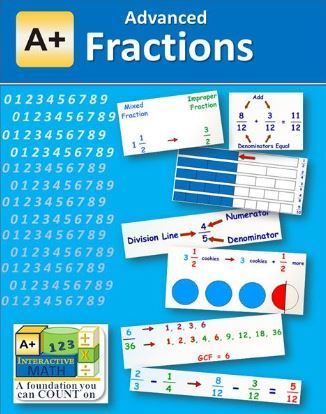
The Fractions course I received (Advanced Fractions) begins with identifying fractions and moves quickly into equivalent fractions and GCF, LCM, and LCD. It covers adding, subtracting, converting, reducing, and everything you would expect in a fractions course. The format is exactly the same as the Division course. Here's a screenshot:


I should point out, since the screenshots are not, sadly, audible, that the lessons *are* audible. That makes these courses perfect for so many different types of learners. Everything is reinforced in multiple ways.


A+ Interactive continues to develop its product line to meet the needs of many different kinds of families. To see how 79 other Crew families have been using their awesome new Mini-Courses, click the banner below.


Math Mini-Courses {A+ Interactive Math Review}

Crew Disclaimer

Tuesday, April 24, 2018

Review of A+ Interactive Math by A+ TutorSoft Inc.

Oh my goodness. If you have read my blog for awhile, you already know that we have used A+ Interactive Math (by A+ TutorSoft Inc.)  many times in previous years. In fact, we have reviewed this company three times before! After our very first time reviewing the company, I actually bought a bunch of their products, so I obviously love what they do. While there have been some changes over the years, the primary way the program works has remained the same, so (SPOILERS!), it's safe to say that I still love this math program. Michael (who is using Pre-Algebra this time around - hard to believe that the first time he used A+ TutorSoft products he was in 3rd grade!) was just glad to see that when you get a problem wrong, the neat voice still says, "I'm sorry! That is incorrect!" It's all about consistency...

But I'm getting ahead of myself. The great thing about reviewing for this company is that while the core operation of their interactive math programs remains the same, the way they offer those programs is ever-evolving, meaning that they can serve more and more families. This time around, we got to review their Family Math Package. Good for up to 10 students (hello, large family friendly!), this package allows students from 1st grade through Algebra to move from grade level to grade level and from lesson to lesson (or topic to topic within a grade level) as much as they want during the space of the year long subscription. There is so much flexibility with this program! Have you ever experienced buying a math program and then realizing that what that program considers 6th grade is not what your previous program considered 6th grade? Many companies are very friendly with returns and exchanges, but not all are, and it really stinks to be stuck with the wrong grade level. Or what if, like one of my children, you have a child who is okay at math at grade level except for one topic? How wonderful it is to have the option to to do on-level math for almost everything, but go up or down a level for that one thing at which you are an outlier!


There is much to learn about how the Family Math Package works, so let's dive in. I'll be talking about Pre-Algebra, which A+ TutorSoft gauges at a 7th/8th grade level. Also, although I only have one student (13) using the program at the moment, as I mentioned you can have up to 10. All you have to do is assign each one to a level of of the program. Each gets his/her own login. When they log in, they will be taken to their correct level. That doesn't mean you can't switch them around - it just means that they will be taken to where they need to be upon launching their math.

This is what you see when you launch Pre-Algebra:


The topics are in collapsed form on the left - it is easy to see exactly what will be covered in the program. The lessons play out as you see in the picture. They are narrated by a pleasant sounding, almost computerized, but not quite, woman as the text evolves on the screen.


If you expand the topics, as I have done above, you can see what is covered within one. It's kind of like exploring the chapter of a math book. (If you want to see all of the topics expanded at once, you can do so here). After each one of these subtopics, there is an Interactive Q&A (that's that right facing arrow on the bottom of the screen). Consider it a short review of what was covered. What Michael loves (and has since he was 8) about this Q&A is that when he gets a question wrong, he gets to hear, "I'm sorry! That is incorrect!" What I love about it is that when he gets a question wrong, the correct solution is presented in a step-by-step format.


There is an app on my phone that I use for the kids to walk them through math problem solutions that I can't help them with (because, as everyone knows, I'm all about words, not numbers). I love the fact that I don't have to break out that app with this program. A+ TutorSoft understands that kids need to understand how to do the problem they got wrong - knowing they got it wrong is only about 10% of the battle. 


If the interactive Q&A doesn't provide enough practice, there are also online worksheets for every single subtopic. The online worksheet is not just a repeat of the Q&A questions your child has already done. It truly is more practice. 


If you want to see if  A+ Interactive Math (by A+ TutorSoft Inc.)  is right for you, you should absolutely check out their huge page of free stuff! You should also read the Crew blog to see how 75 other Crew members used both the Family Math Package and the Adaptive Math Curriculum Online.