Pages

Wednesday, July 18, 2012

Review of Keyboarding for the Christian School


Keyboarding for the Christian School is a low-tech typing program reminiscent of the typing program you may have used in school.  Therein lies its greatest appeal.  I have no problem with all of the online typing programs out there, but I remember learning to type.  The way I learned seems to produce greater results in a shorter period of time. I sometimes think that all the bells and whistles of edutainment impair real learning.  For that reason, I think this is an awesome typing program.

Keyboarding for the Christian School is available as a pdf download, which means that there are several ways to handle using it.  In our case, my daughter read the pages off of my laptop and then did the lesson on hers. For my other children (who, I don't think, are quite ready for typing yet), I will likely print out the lessons and then comb bind them so that they lay flat.  In my daughter's case, though, the two-screen method was ideal.

This program is a very to-the-point approach to typing.  For example, the homerow review lesson looks like this (sample lesson available on site):


Learning the Homerow Keys
Lesson 6:  Review


A.  Using the F and J Keys:  Type ten sets of fj in groups of two.

fj fj fj fj fj fj fj fj fj fj

B.  Using the D and K Keys:  Type ten sets of dk in groups of two.

dk dk dk dk dk dk dk dk dk dk

C.  Using the S and L Keys:  Type ten sets of sl in groups of two.

sl sl sl sl sl sl sl sl sl sl

D.  Using the A and ; Keys:  Type ten sets of a; in groups of two.

a; a; a; a; a; a; a; a; a; a;

E.  Using the G and H Keys:  Type ten sets of gh in groups of two.

gh gh gh gh gh gh gh gh gh gh

F.  Now it is time to combine the homerow keys:  Type five groups of the left side of the Homerow on the first line, and then the right side on the second line.

asdfg asdfg asdfg asdfg asdfg
hjkl; hjkl; hjkl; hjkl; hjkl;

 G.  Type the following using the homerow keys:

aaa sss ddd fff ggg aaa sss ddd fff ggg aaa sss ddd fff ggg
hhh jjj kkk lll ;;; hhh jjj kkk lll ;;; hhh jjj kkk lll ;;;

H.  Review Drill:  Type the following using the homerow keys:

add add add dad dad dad gag gag gag sag sag sag
fad fad fad gas gas gas lad lad lad had had had 


As I said, this is exactly the way I learned to type and the method was very effective for me.  Because the lessons are short and sweet, your child can learn typing without taking up a huge chunk of the school day.

Although this program is overtly Christian, one doesn't have to be a Christian to derive a great benefit from it.  For example, you can either work with the Psalms provided or find your own substitutes.  The method is what is so wonderful about this curriculum!

Keyboarding for the Christian School, designed for grades 6 and up, is available for $15.95.  Alternatively, you can purchase this version with the Elementary version for $22 - it's a great deal!  Best of all, through 8/29/12, using the coupon code SUMMER2012 will get you 20% off! We have really enjoyed using this program, and I will continue to use it with all of my children.  As always, see the Crew blog for other views.

Disclaimer: I received Keyboarding for the Christian School free in exchange for my honest review.  I have received no other compensation of any kind -- except for the pleasure of using this program!





Photobucket

Friday, July 13, 2012

Review of Professor B Math


The program my three youngest children have been using for math for the last six weeks is one of my favorite review products ever.  I literally can't say enough good things about Professor B Math.  


On its face, Professor B may not be exactly what you would expect from a math program, but I promise that if you give it half a chance, you will most likely love it.  Professor B asserts that it will teach you to be a master teacher.  By teaching you how to teach your children, your children will learn math.  In fact, Professor B says that you can learn three years of math in one.  After using the professor for nearly two months, I can say that I believe it.


When you buy a year of Professor B (either Level 1, Level 2, or Level 3), you receive access to that Master Teacher Level and Workbook/Answer Keys.  Lessons are presented as slides, much like with Power Point.  The bee "speaks" silently (in reality, his word bubbles prompt you with the exact words to say to teach your students, who are also looking at the computer screen).  So the bee doesn't actually say anything, but he provides you with a teaching script.  No work is actually done on the computer.  When a lesson is done, parents can print out the appropriate workbook pages for their child to complete.

Trying to explain this curriculum in detail is difficult, but I have been monumentally impressed with both Levels 2 and 3 (the ones we are using).  My two second graders have been learning multiplication facts, and after having taught two other children their facts, I can definitively say that Professor B's method works.  Starting with the twos, children spend days learning each group of facts.  Not only do they learn the actual facts, but they learn division with those facts at the same time.  So, they first learn visually the groups of two.  The visual cue is taken away, and they continue practice.  Then, after demonstrating that they can recite the full fact family, they are asked questions designed to get them used to the inverse of multiplication being division.  I have been so impressed with the thoroughness and user-friendliness of the Professor B!  


I don't usually rely on screenshots from a program to explain it, but in this case I wanted to use them because everything they say is true! 


Professor B costs $100 for three years of access to a single level.  It is worth it.  Along with teaching your child math, Professor B is teaching you how to teach math.  The website does not yet have this pricing information, but by calling Professor B at 678-765-6655, you can take advantage of the new pricing structure.

I have been so very impressed with Professor B.  I completely recommend it without reservation.


Photobucket


Disclaimer of the legal variety: I received a year's access to Professor B in exchange for my honest review.  Professor B didn't pay for my opinion, though, and my opinion is that this is one heck of  a great math program!

Sunday, July 8, 2012

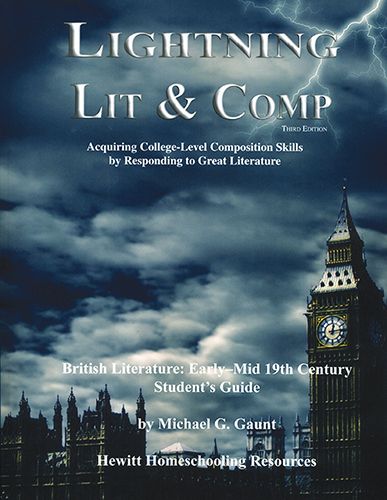
Review of Lightning Literature

Literature is one of those subjects I never really gave much thought to. My kids read avidly and we talk about what they read.  End of subject.  But not really...

One of the things I have had to struggle most with in my homeschooling is reconciling my idea of what a subject should look like with my children's personalities.  For example, I already know that I will not be asking my nine year-old son to write answers to comprehension questions any time soon.  Like most boys, he resists mightily attempts to make him sit and write for any length of time.  My daughter, though, is enough like me that I thought that she would respond well to rote literature questions.  I was wrong.  She did not suffer answering questions to which the answers were obvious.  It seemed like a waste of time to her.  To that end, I am always on the hunt for a good literature program.  I have children who love to read, but I want to make sure I have children who are able to get the most out of what they read.  Enter Lightning Literature.


Lightning Literature is one of those programs I have long been anxious to check out.  In fact, truth be told, I would have probably eventually succumbed and bought the program had not I received it free in exchange for my review.  As it turns out, it would have been a great purchase!

When I saw that Early - Mid 19th Century British Literature was a review option, I jumped at the chance to use it.  My gifted (nearly) 11 year-old daughter loves Jane Austen and Romantic poetry.  What could be better than trying out the Lightning Literature take on these favorites? To see the complete Table of Contents, visit this page.  This view alone gives you a small idea of how very much material is covered in this curriculum.  Familiar literary devices (tone, description, etc.) are all covered using the best literature of the time period.  Worried about having to hunt down obscure poems and essays? Don't.  Everything you need (with the exception of the novels which can be found everywhere from public domain Internet sites to your local bookstore or library) is found in the guide itself.  You won't have to hunt down anything.

Each chapter follows the general format as this sample chapter (Jane Austen - yay!).   Before one reads, there are concepts to consider.  There are review-type questions (which can be done orally if you choose).  Then there is a lengthy discussion on the literary concept with specific references to the text.  These guides are written by people who know their stuff.  English is one of my strong suits, and I can tell shallow literary analysis at a glance.  This is not shallow literary analysis.  Best of all, a parent does not have to know a think about English literature or literary analysis in order to use this program - it's all done for you.  Finally, there are writing exercises.  You can do one or all. Depending on the age of your child, you can merely discuss, or your child can write full essays (as she would want to do if this course will end up on a transcript).

This course is recommended for grades 10-12, and is suggested for a student who has already taken a Lightning Literature course.  As with all things homeschool, though, everything depends on an individual child.  My (nearly) 11 year-old daughter had no trouble reading the selections (we got through Jane Austen and William Blake, but we're not stopping there!) and answering the recall-type questions.  We read the literary analysis together so we could talk about it, but the essay questions were definitely within reach for her.  My best advice is to consider the sample chapters available at Lightning Literature in order to decide if the program will work with your child.

The Early 19th Century British Literature Student Guide costs $29.95.  The optional Teachers Guide is well worth the $2.95 price tag, as it contains answers, suggested schedules, and more.  We love this curriculum and will definitely be using it again.  To see other opinions, visit the Crew blog.


Disclaimer: I received Lightning Literature free in exchange for my review.  The product may have been free, but my opinion isn't for sale - it's all mine.

A Cardinal Newman Retrospective

Although it all feels like a dream now, it was five years ago that I was preparing to become the third grade teacher at Cardinal Newman, a Catholic (not allowed to say that in the title, though! Argh.), classical school, or, as I dubbed it when Therese was still a baby, Great Books for Little Kids.  Seriously, this Pre K- 8th grade school was the curriculum I would teach if I were to homeschool. I wasn't wild about the idea of 3rd graders.  I had applied for middle school and thought then (and do now) that I was much better suited to that age.  For whatever reason, though, I ended up in 3rd grade teaching everything from Saxon Math 4 to Greek History.

What I Know Now...

  • I trained to teach at the college level; attempting third grade was a big mistake.
  • I treated all the kids as if they had the same capabilities as my daughter.  I couldn't reconcile the fact that, as a first grader, she was capable of higher level thinking and reading than the majority of my third grade class.  Another big mistake.
  • As per the previous bullet, I expected too much from those kids.  Some of their parents were upset with me.  More should have been.
  • I thought that God was calling me to be a part of this school about which I was so passionate, but my one semester at Cardinal Newman taught me that you can't be a SAHM and work - even if you work where your kids go to school. My vocation is as a SAHM.  I won't ever forget that again.

What I Took Away from Cardinal Newman...
  • An absolute certainty that I was being called to homeschool.  I guess I needed it in flashing neon.  I got it.
  • A few wonderful friendships.  These alone are worth my months at Cardinal Newman.
Why is Cardinal Newman on my mind? Because I'm coming up on five years homeschooling and I've been reflecting on what has worked and what hasn't. That post is coming soon.

Saturday, June 30, 2012

Review of Homeschool Spanish

My husband's family is from Cuba, and he is a native Spanish speaker, so I was thrilled to review Homeschool Spanish Academy's online Spanish classes.  Why should the children of a native speaker need formal classes, you ask? Well, if one doesn't speak the language to his children from birth (and almost exclusively), the children will not be fluent.  Given that I only had some school Spanish to fall back on, we just never considered speaking Spanish to our children.  My in-laws *do* speak Spanish, though (along with English), and I would love for my children to be able to speak to them.


Homeschool Spanish Academy offers online Spanish classes for young children through adults.  The classes are one-on-one, via Skype, with a native Spanish speaker.  The two teachers my ten year-old daughter have had thus far are delightful ladies from Guatemala.  The lessons range in time from 25 to 50 minutes, depending largely on the age of the learner.  Officially, Homeschool Spanish Academy denotes the shorter time span for children up to ten, with the longer time slot used for children ten and up.  My ten-year old has Spanish for the 50 minute time period.  I would think that the appropriate time might best be determined by the teacher in conjunction with the parent, given that some younger children could benefit from the longer class time, while some older children may not have the attention span for the longer time.


For specific information on how Homeschool Spanish Academy works, see any of these helpful videos. In general, my daughter's classes have all had the same format.  The teacher introduces new vocabulary to her and then asks her questions requiring her to answer using the new vocabulary.  She has learned fruits, vegetables, seasons, numbers, and colors.  With her first teacher, she only learned one lesson per class, but with the teacher she has had recently, she is doing up to three.  I think the classes work best when they move at the pace of the student.

Everyone has the opportunity to explore Homeschool Spanish Academy, as they offer a free lesson.  Simply follow these directions.

If you're the kind of homeschool parent who appreciates companies that help others, Homeschool Spanish Academy is a must!


Top-quality in-home Spanish instruction can be yours for the prices shown below.  If you have two students you want to take Spanish, you can receive a discount on the second child.


My daughter loves Homeschool Spanish Academy, but, in our particular situation, I don't find it worth continuing the program when our review period ends.  My husband can teach all of my children the vocabulary (which is what Therese has learned so far), and they can learn grammar a little later, from a book.  If you don't have a Spanish speaker in your life, though, this program would be invaluable.  The founder is wonderful and the teachers are super supportive and encouraging.  This is a great option for homeschooled students! To see other opinions, check out the Crew blog.


DISCLAIMER: I received Homeschool Spanish Academy classes free in exchange for my honest review.  The classes were free, but the opinion is all mine!

Wednesday, June 20, 2012

Review of IXL Math


As a member of the TOS Review Crew, I received a six-month subscription to IXL Math.  I have long wanted to try this site replete with math practice at all levels, but I have always been somewhat anxious about the price.  I can safely say that I am no longer anxious about the price at all.  It is well worth what I now consider to be a nominal charge!

What is IXL? Used in more than 150 countries, IXL is a full complement of practice math problems from Pre-K through Algebra (with plans for even higher levels of math!).  


IXL is aligned to state standards, so you can always be sure that your child is on-level for math skills acquisition.  Of course, if your children are like mine, it is wonderful to have the option to be able to work on higher levels of math.  When gifted kids skip levels of math, or complete them in about half the time, having access to a practice site like IXL is invaluable.  You, the parent, can make sure that your child really has mastered the skills at a particular level of math! How can you be certain, though, that your child is doing what she says she is doing on IXL? Thorough reports are emailed to you weekly and, with your parent account, you can keep up with all of your children's progress.

Reports tell you the amount of time your child spent on IXL altogether, along with a breakdown of individual skills attempted and mastered.  Finally, you are shown a "SmartScore." Using a proprietary algorithm, IXL gives your child a numerical rating for each skill.  They are even color coded so you can see where your child stands at a glance! Green means your child has mastered the skill in question.  Blue is good.  Orange is satisfactory.  Red is better get more practice! Finally, the report gives you a pie graph so you can see at a glance which skills your child spent the most time on.

So parents get reports...what's in it for kids? Awards!


Students earn achievements and certificates for completing levels and skills.  Kids who like some visual element to a reward will love this feature!  Also, for kids who like instant feedback, the SmartScore is continually updating on the right side of the screen.  Seeing that number edge up is a huge incentive to keep practicing! (The picture below is of a problem from a grade level my children are not studying, but it does illustrate the feedback instantly available to your kids.)


What do you pay for 2,000 practice problems at all levels?

I'm not ready to make a final decision, but I strongly suspect that we will be purchasing IXL when our complimentary subscription ends.  There is just so much here!


My kids love IXL; to see how other kids responded, have a look at the Crew blog!


Disclaimer: I received a subscription to IXL math free in exchange for my honest review.  Honestly, I don't love math, but I do love IXL! The subscription was free, but that is my honest opinion!

Saturday, June 16, 2012

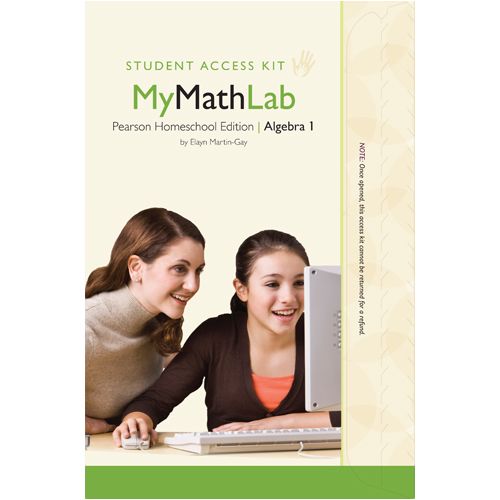
Review of Pearson's MyMathLab Algebra I


For the past six weeks, my ten year-old daughter has been using MyMathLab's Algebra I in our homeschool.  In first grade, Therese began moving ahead in math very quickly, skipping two years entirely and often doing two years' work in one. Her progress has not been without bumps, though.  We have switched math programs several times (often through the impetus of receiving a wonderful review product from The Review Crew!), have gone through periods during which math was a tear-fraught struggle, and, sometimes, went a few weeks with no math at all.  It was with some trepidation, then, that we began this particular math course.  Happily, my fears were unfounded: Therese loves it!

The Pearson Homeschool Edition of Algebra I is a complete Algebra course.  It offers all of the necessary instruction, practice problems, and tests, including thousands of instructional videos.  The program is 100% online and is fully customizable for families.  Fair warning: I found the set

up a tiny bit confusing, but the instructions were clear and I was able to navigate it with no outside help. Therese had absolutely no problem jumping right in and getting started.  Best of all, I did not have to urge her to work on it for our review; she has been doing several lessons per week.

The approach of Pearson is fairly standard for online programs. Concepts are introduced and sets of problems are presented.  The student can choose to see the problem solved step-by-step, after which he will be given another problem that is solved the same way.  This is one feature of the program that I really appreciate: getting help on the problem does not mean that the student gets a "pass" on that problem.  Instead, it is used as a teaching opportunity which is then immediately "tested" when the student has the chance to solve another problem on her own.


Much of what you see on the screens can be customized. So far, I have let Therese work as she wants, but I love knowing that I can have a heavier hand in her schedule if I want to.

Algebra I is available for $49.97.  Parent access is an additional $30.  For the price, the course is excellent.  It would be excellent for twice the price.  I can definitely say that we will be continuing with Pearson for Algebra II.  I am so grateful to have been introduced to this wonderful product!

For more opinions, see the Crew Blog!


DISCLAIMER: I received the course, MyMathLab Algebra I, free in exchange for my honest review.  The product was free, but the opinions are mine.